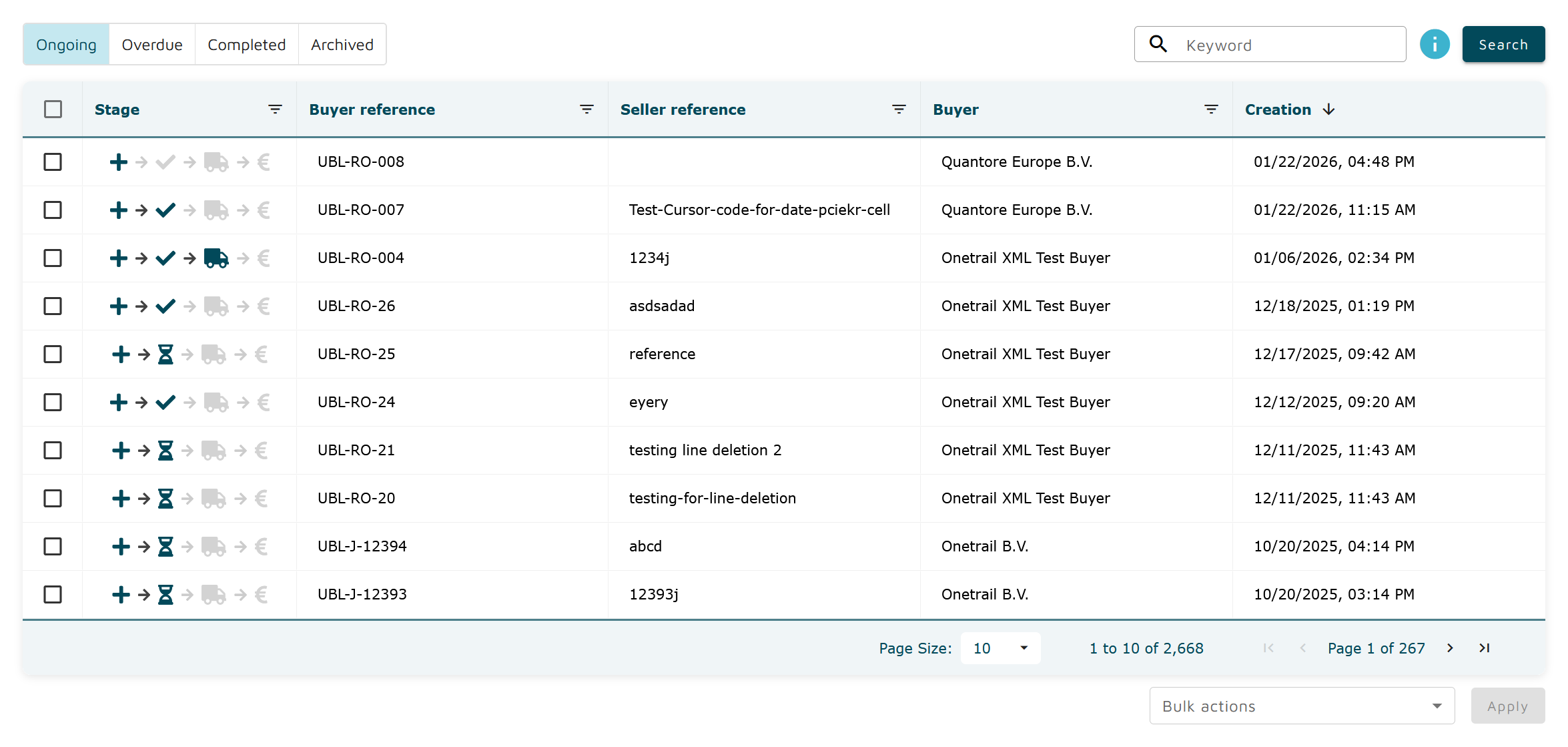
Stage → Displays an icon associated with the current stage of the process
NEW
Not acknowledged: dark blue plus icon →

Not confirmed: dark blue plus icon →
CONFIRMED
With changes: dark blue check icon →

Without changes: dark blue check icon →
SHIPPED
Fully: dark blue truck icon →

Partially: turquoise truck icon →

INVOICED
Fully: dark blue euro icon →

Partially: turquoise euro icon →

ON-HOLD
Dark blue hourglass icon →

DELETED
Dark blue trash icon →

Buyer reference → Displays the buyer reference for the order. Filtering is available using partial or exact match.
Seller reference → Displays the seller reference for the order. Filtering is available using partial or exact match.
Buyer → Displays the buyer company name. Filtering on a single buyer is available.
Creation → Displays the creation date of the order.
Actions → Displays a list of actions that can be performed on the order. This feature is not yet available.