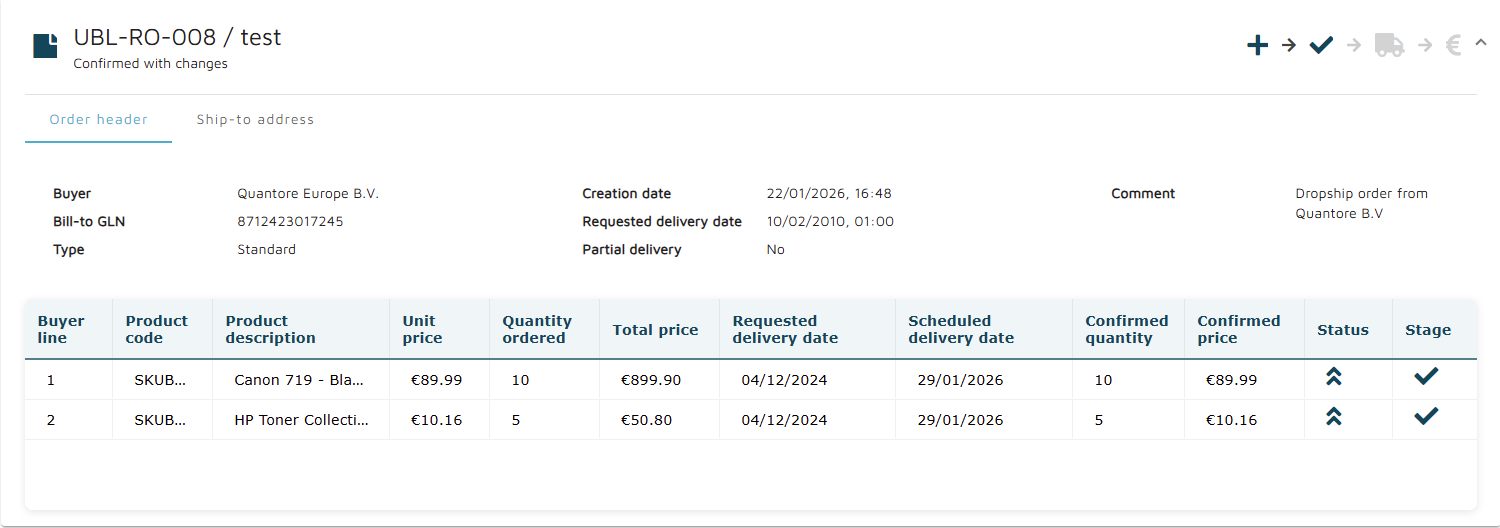
By clicking on an order in the Orders Overview, the details of that order are displayed, as shown below.
Order details
In the top bar, general information about the order is displayed.
On the left side:
Order ID (UBL-RO-008)
Seller reference (test) - displayed if the order is confirmed
Order status (Confirmed with changes)
On the right side:
Order stages overview
The order stages overview follows the same pattern for icons and colors as in Orders overview.



Each order line contains the following information:
Buyer line
Product code
Product description
Unit price
Quantity ordered
Total price
Requested delivery date
Scheduled delivery date
Confirmed quantity
Confirmed price
Status
Stage
At the bottom, available actions are displayed on the right, and the Back button on the left returns to the previous screen.
Available actions include:
Archive order
Unarchive order
Delete order
Put order on hold
Release order
Create confirmation
Update confirmation
Create shipment
Create invoice
For details about these actions, see Order actions and its child pages.
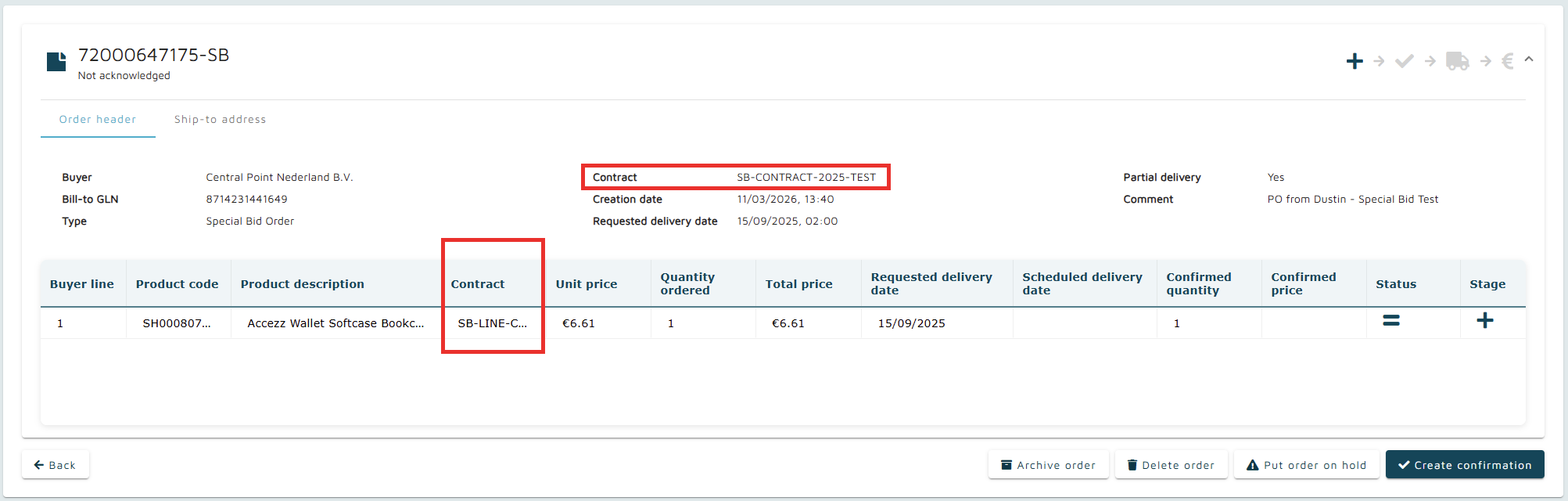
In case of special bid order type, order details may contain additional information if they are provided in the order.
Currently, contract info is the only supported additional information, on header and line level, as depicted below:
Continue to: