Invoicing action is available for orders which have at least one line in “Shipped” stage.
In the following image, invoicing is done by clicking on “Create invoice“ button.
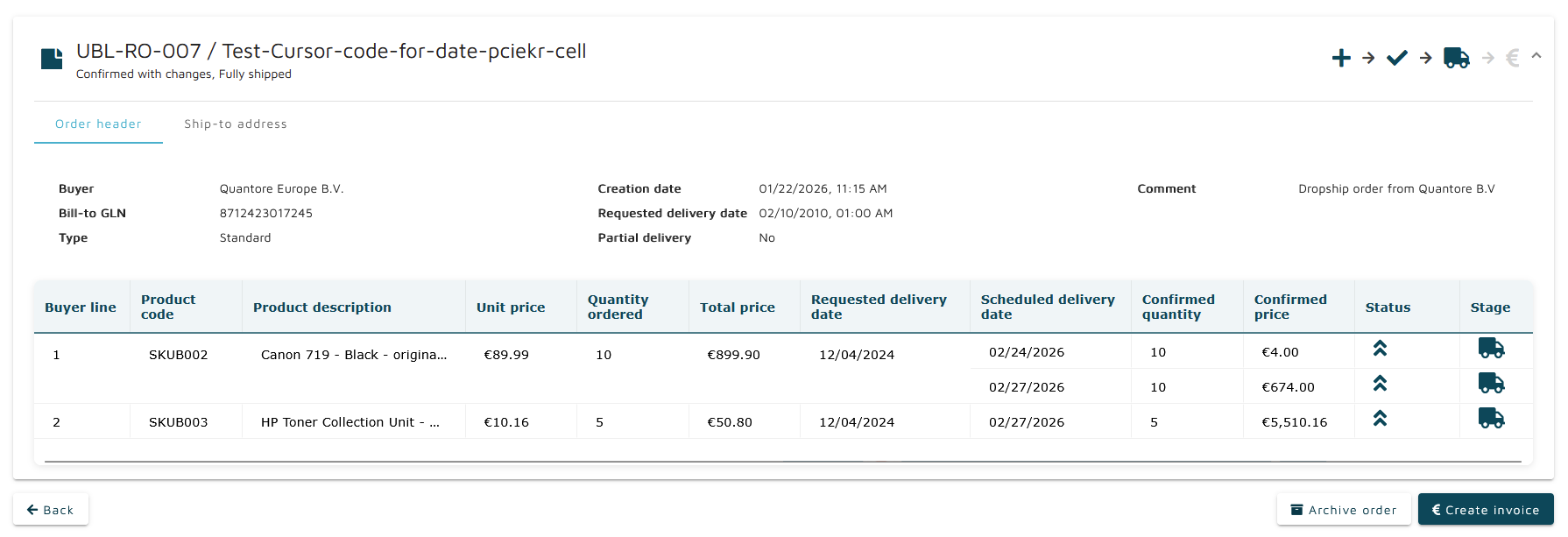
After selecting the “Create invoice“ button, user is forwarded to Classic Order Manager in embedded view to finalize invoice creation. Invoice creation in embedded view does not contain “Search panel“ and breadcrumbs in order to avoid using Classic Order Manager for features supported in New Order Manager. Instead it contains a “Back“ button when picking despatch advice (routes back to “Order details“ in New Order Manager) and when the invoice is being created actually (routes back to despatch advice picking screen).

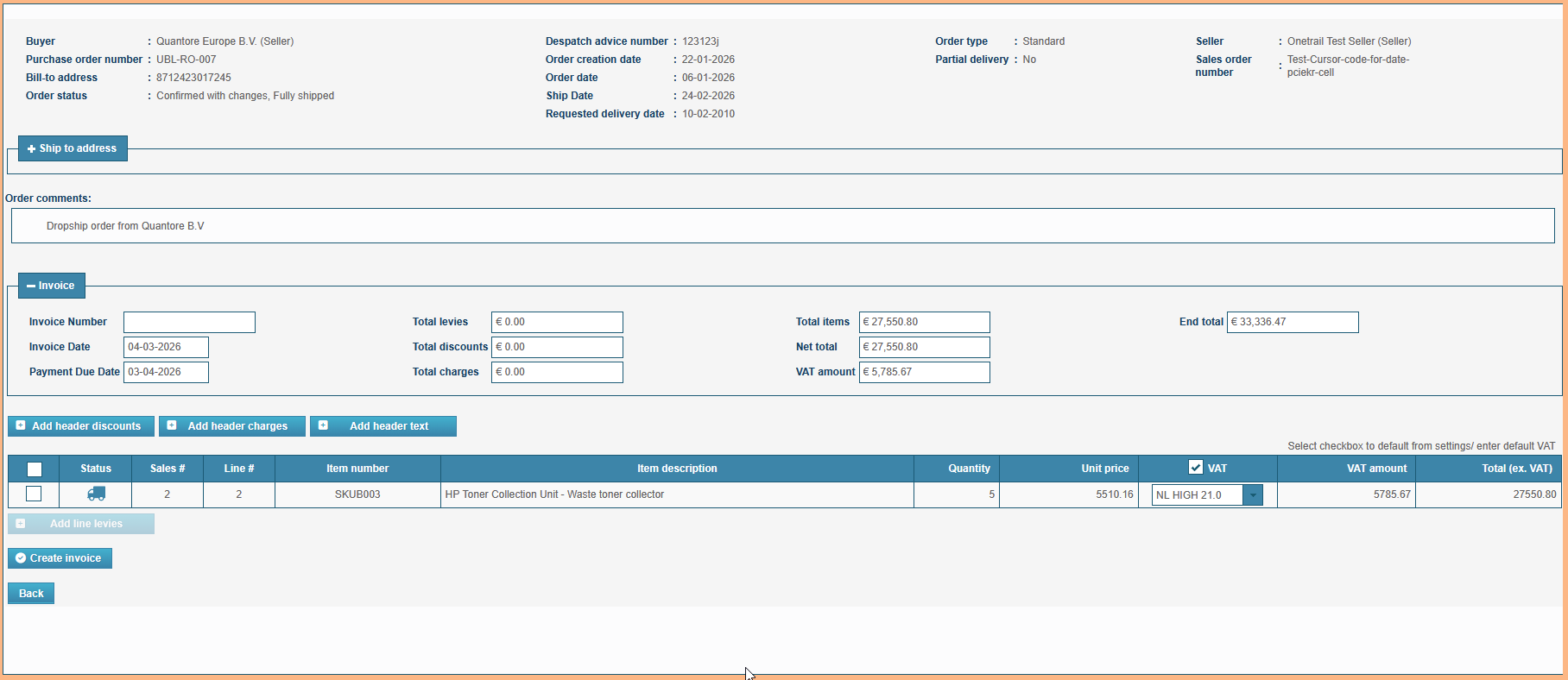
Creating an invoice for the order updates the processing state of both the order and its line items:
An order stage is switched from “Fully shipped” stage to “Fully invoiced” or “Partially invoiced” depending whether all the lines are invoiced or not
An order stage is switched from “Partially shipped” stage to “Partially invoiced” stage
Line items transition from stage “Shipped” to stage “Invoiced”